You may not have time to learn Ableton.
Load your backing tracks, make the adjustments your team needs, and hit Play.
Backing tracks for worship teams
Load your tracks, organize songs, build a service setlist, and run backing tracks from one focused Windows or Mac app.
Made for Windows and Mac. Bring backing tracks from MultiTracks.com, Loop Community, other providers, your own recordings, or Ableton Live Sets. No experience required.
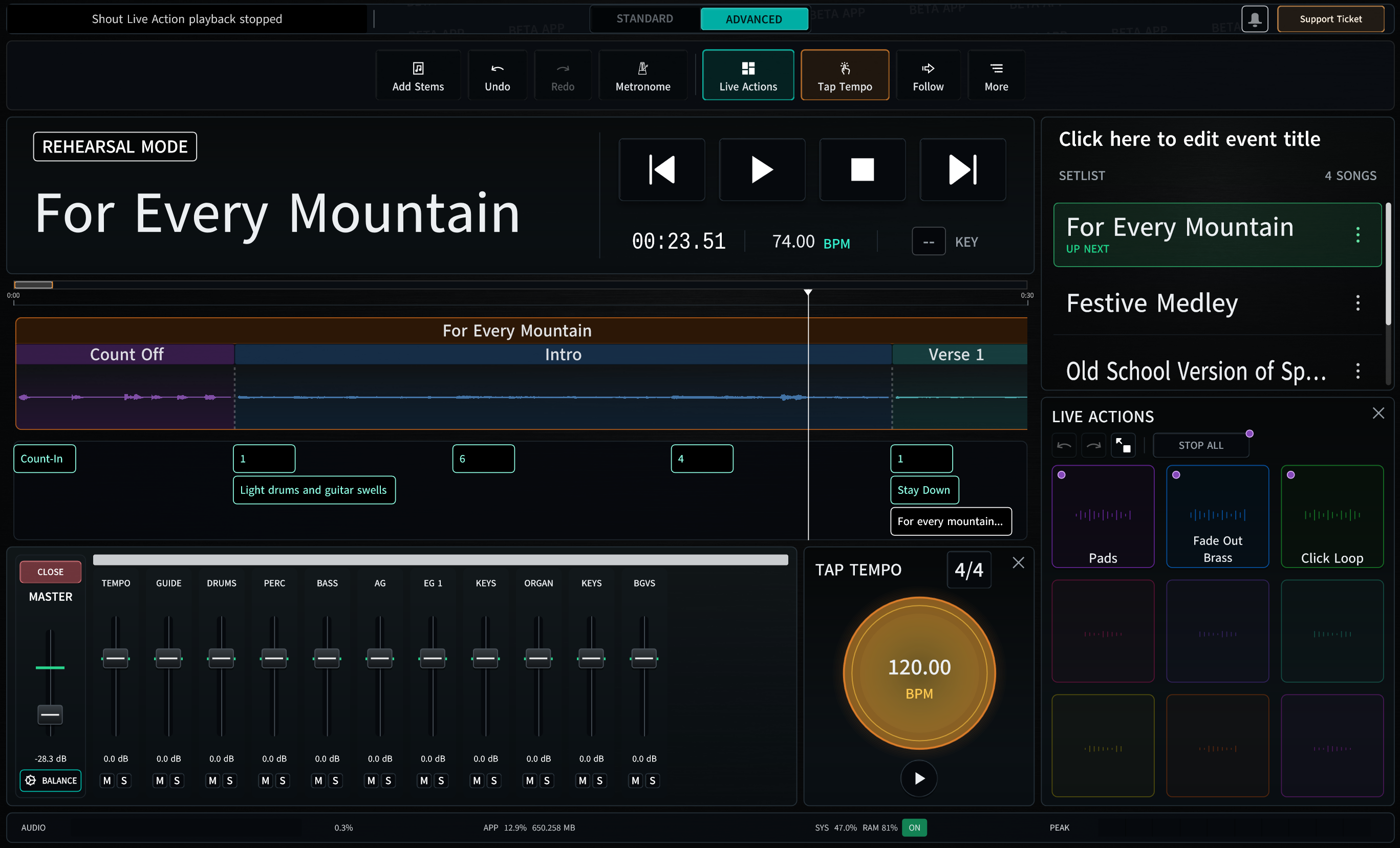
A simpler way in
Load your backing tracks, make the adjustments your team needs, and hit Play.
Save an organized service setlist that a prepared volunteer can understand and operate.
Bring in prepared tracks or an Ableton Set and spend less time rebuilding arrangements or warping audio from scratch.
How it works
Start with one song. LiveCurrent guides you through bringing in the tracks, arranging Sunday, rehearsing, and pressing Play.
Load backing tracks from your favorite provider or import an Ableton Live Set someone has already prepared.
Put the songs in order and adjust familiar sections such as Intro, Verse, Chorus, Bridge, and Outro.
Practice any part your team needs. When service starts, Go Live clears away distractions and helps prevent accidental edits or interruptions.
Built around the service
Jump to the chorus, loop a difficult passage, and adjust transitions without restarting the whole song.
Keep editing tools available while preparing, then simplify the screen for performance.
Reuse supported arrangements, locators, timing, loops, and track information rather than rebuilding from scratch.
Let worship leaders or music directors review and propose song-arrangement changes from a browser.
LiveCurrent Early-Access Beta
The Beta is open to worship teams who want to use LiveCurrent now and help shape Version 1. Your feedback and bug reports directly guide each update.
One-time Beta purchase
$25 Get Beta Access Begin with one song in rehearsal, then build confidence using the same computer and audio setup you'll use on Sunday.Straight answers
No. LiveCurrent is organized around songs, familiar sections, setlists, rehearsal, and running backing tracks. Ordinary computer experience is enough to begin.
Bring backing tracks from providers such as MultiTracks.com, Loop Community, and others, use your own recordings, or import an Ableton Live Set.
LiveCurrent works with backing-track downloads that include separate song parts, your own recordings, and supported content from Ableton Live Sets.
The one-time purchase includes Windows and macOS Beta access, saved sessions, Beta updates, support-ticket access, and participation in the feedback and bug-finding process.
Start with one song in rehearsal, learn the workflow on the same computer and audio setup you will use on Sunday, and send feedback whenever something could be clearer. Beta members are a key part of shaping and polishing Version 1.
LiveCurrent is designed to stay focused and lightweight for many modest Windows and Mac computers. For the smoothest Sunday, rehearse the full set with the same track count, plug-ins, interface, and drivers you'll use live.
Your tracks. Your setlist. One focused app.